
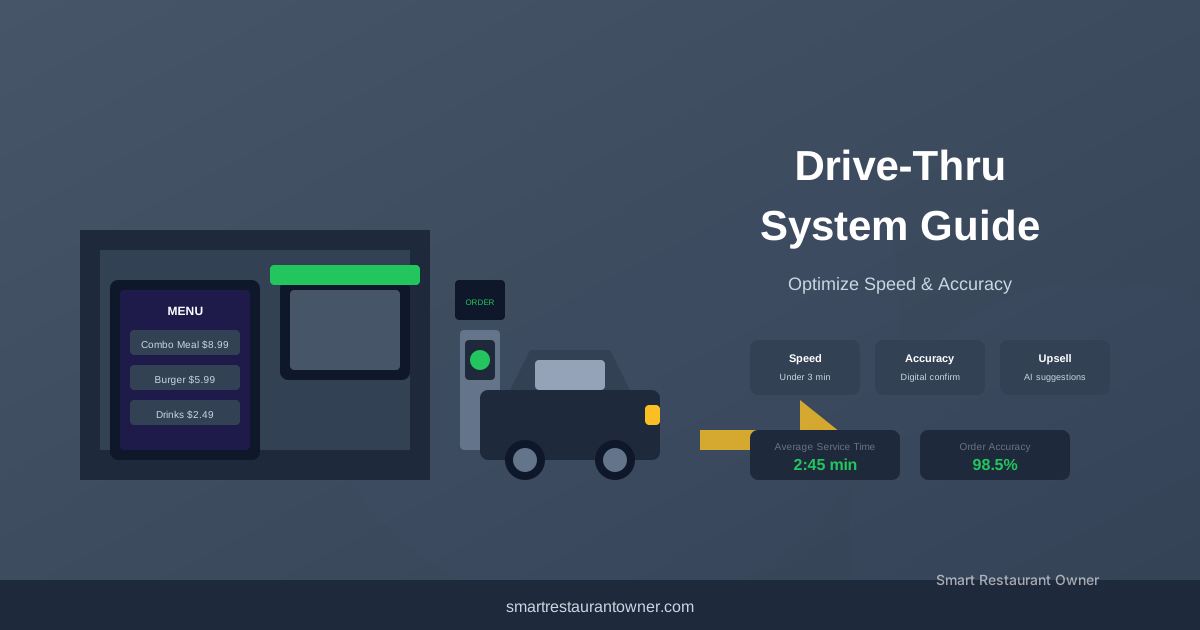
A Chick-fil-A in Georgia processes 220 cars through their drive-thru during the Friday lunch rush. Their average service time from order to pickup is 108 seconds. The industry average is 255 seconds. The difference is 147 seconds per car. At 220 cars, that's 539 minutes of saved customer time. But more importantly for the operator, it's an additional 42 cars they can process in the same lunch window. At a $9.40 average check, that's $395 in additional revenue per lunch rush. $98,750 a year. From being faster.
Drive-thru is the highest-volume channel in QSR. According to QSR Magazine's 2025 Drive-Thru Report, 70% of McDonald's revenue comes through the drive-thru. For Chick-fil-A, it's 65%. For Taco Bell, it's 70%. The National Restaurant Association reports that drive-thru accounts for over 60% of fast-food transactions industry-wide. The drive-thru isn't a convenience feature. It's the primary revenue channel.
The technology that powers a drive-thru is more complex than most operators realize. Headsets, speaker posts, timer systems, menu boards, and the integration between them. A poorly designed drive-thru system creates bottlenecks that cost you thousands in lost throughput. A well-designed system is invisible. It just works.
I've analyzed drive-thru operations for QSR operators. For a broader look at where restaurant technology is heading, check out our restaurant technology trends analysis. Here's what the drive-thru technology stack looks like and what it costs.
Industry Data & Sources:
Energy Star provides efficiency ratings and buying guides for commercial kitchen equipment.
NSF International certifies commercial foodservice equipment for safety and sanitation standards.
The Short Answer
If you're building a new drive-thru from scratch, budget $25,000-$50,000 for the complete technology stack. This includes headsets, speaker post, timer system, digital menu boards, and installation. The cost varies based on the number of lanes and the sophistication of the timer system.
If you're upgrading an existing drive-thru, budget $10,000-$25,000. You can replace components individually. Start with the timer system. It provides the data you need to identify bottlenecks. Then upgrade headsets. Then menu boards.
If you're a small independent QSR with a single drive-thru lane, budget $8,000-$15,000. You don't need the enterprise-grade systems. A basic headset system, a simple timer, and a static menu board are enough.
The Drive-Thru Technology Stack
Recommended Tool
Shop the largest selection of restaurant equipment at WebstaurantStore.
Free shipping on orders over $99 and price match guarantee.
A drive-thru has five technology components:
- Headsets and intercom. The communication system between the order taker and the customer at the speaker post.
- Speaker post and microphone. The outdoor equipment that captures the customer's voice.
- Timer system. The sensors and software that track every car through the drive-thru and measure service times.
- Menu boards. The displays that show the menu to customers at the speaker post.
- Integration with POS and KDS. The connection between the drive-thru order and the kitchen.
Each component affects speed of service. A failure in any one creates a bottleneck. If you're also evaluating other core equipment, our essential restaurant equipment list covers the full kitchen setup beyond the drive-thru.
Headsets and Intercom: The Communication Backbone
The drive-thru headset system is the most critical piece of equipment. If the order taker can't hear the customer, the order is wrong. Wrong orders cause remakes. Remakes cause delays. Delays cause lost throughput.
Wired vs wireless. Wireless headsets are the standard. They let the order taker move around the kitchen while taking orders. They're more expensive ($500-$1,200 per headset) but the flexibility is worth it. Wired headsets are cheaper ($200-$400) but tether the order taker to a fixed position.
Noise cancellation. Drive-thru environments are noisy. Engine noise. Wind. Rain. Traffic. The headset system needs active noise cancellation that filters out background noise while preserving the customer's voice. This is the feature that separates good systems from bad ones. A headset without good noise cancellation produces wrong orders. Wrong orders cost you $3-$8 per incident in remakes and customer compensation.
Battery life. Wireless headsets need to last a full shift (8-10 hours) on a single charge. Replaceable batteries are better than built-in batteries because you can swap them mid-shift. Budget for replacement batteries every 12-18 months ($30-$60 per battery).
Durability. Drive-thru headsets get dropped. They get wet. They get greasy. They need to survive a kitchen environment. Look for IP54 or higher water and dust resistance ratings.
The major brands:
| Feature | HME EOS HD | 3M XT-1 (Panasonic) | Eartec / Retekess (Budget) |
|---|---|---|---|
| Cost per Headset | $800-$1,200 | $600-$1,000 | $200-$400 |
| Base Station | $3,000-$5,000 | $2,500-$4,000 | $500-$1,200 |
| 4-Headset System Total | $6,200-$9,800 | $4,900-$8,000 | $1,300-$2,800 |
| Noise Cancellation | Active, enterprise-grade | Active, good | Basic passive |
| Battery Life | 12-18 hours | 10-14 hours | 6-8 hours |
| Durability Rating | IP65 | IP54 | IP42 |
| Replaceable Battery | Yes | Yes | Some models |
| Best For | High-volume QSR, dual-lane | Mid-volume QSR, single-lane | Low-volume, budget operations |
HME (HM Electronics): The industry standard. Used by McDonald's, Chick-fil-A, and most major QSR chains. The HME EOS HD system is the current flagship.
3M (now Panasonic): The main competitor to HME. The 3M XT-1 system is widely used. Slightly less expensive than HME.
Budget options: Eartec, Retekess. Adequate for low-volume drive-thrus. The noise cancellation and durability aren't as good. You'll replace them more often.
How many headsets? One for the order taker. One for the manager. One for the expeditor. One spare. Minimum 4 headsets. For a busy drive-thru with dual order points, 6-8 headsets.
Speaker Post and Microphone
The speaker post is the outdoor unit that the customer talks into. It's exposed to weather, vehicle exhaust, and the occasional bumper. It needs to be durable and weatherproof.
Wired vs wireless speaker post. Wired speaker posts connect to the base station via a buried cable. More reliable. No interference. But the cable can be cut during construction or landscaping. Wireless speaker posts connect via radio frequency. Easier to install. No buried cable. But susceptible to interference from other radio sources.
Vehicle detection. The speaker post should include a vehicle detection sensor (magnetic loop in the pavement or an overhead sensor) that alerts the order taker when a car arrives. This eliminates the "welcome to [restaurant], what can I get for you?" greeting to an empty lane. It also triggers the timer system.
Dual speaker posts. High-volume drive-thrus use two speaker posts (dual order points) to process two cars simultaneously. This requires two order takers and a merge point where the two lanes combine. Dual order points increase throughput by 40-60% but require more labor and a wider drive-thru lane.
Cost: $1,500-$3,000 for a single speaker post with vehicle detection. $3,000-$6,000 for dual speaker posts. Installation (trenching for cables, concrete work) adds $1,000-$3,000.
Timer System: The Performance Engine
The drive-thru timer system tracks every car through the drive-thru and measures service times. It's the data engine that tells you where your bottlenecks are.
How it works: Magnetic loops in the pavement or overhead sensors detect cars at each stage of the drive-thru. The timer records when a car arrives at the speaker post, when the order is taken, when the car leaves the speaker post, when it arrives at the window, and when it leaves the window. The system calculates total service time and time at each stage.
The metrics that matter:
- Total service time: from arrival at speaker post to departure from pickup window. Industry average: 255 seconds. Top performers: under 150 seconds.
- Order time: from arrival at speaker post to order completion. Target: under 60 seconds.
- Window time: from arrival at pickup window to departure. Target: under 45 seconds.
- Cars per hour: the number of cars processed in a peak hour. Target: 60+ for a single lane, 100+ for dual lanes.
📬 Get More Customers. Get More Profit.
Join 2,400+ restaurant owners getting actionable tips every Friday. One email. One insight. No spam.
The major timer systems:
| Feature | HME Timer | QSR Automations | ACI |
|---|---|---|---|
| Cost | $2,000-$4,000 | $5,000-$10,000 | $3,000-$6,000 |
| Tracking | Service times, car counts, bottleneck analysis | Individual car times, station-level, predictive wait | Service times, bottleneck analysis |
| Integration | HME headset systems only | Most headset and POS systems | Most headset systems |
| Reporting | Standard reports | Advanced analytics, dashboards | Good reporting |
| Best For | HME headset users, mid-volume | High-volume chains, multi-location | Mid-volume, mixed equipment |
HME Timer: Integrated with HME headset systems. Tracks service times, car counts, and bottleneck analysis.
QSR Automations: The most sophisticated timer system. Used by high-volume QSR chains. Tracks individual car times, station-level performance, and predictive wait times.
ACI (Automated Control Industries): Mid-range timer system. Good reporting. Integrates with most headset systems.
The ROI of a timer system: A timer system costs $3,000-$10,000. It identifies bottlenecks that cost you 10-30 seconds per car. At 200 cars per day, 20 seconds saved per car is 67 minutes of additional capacity. At a $9 average check and 60% gross margin, that's 11 additional cars per day. $59 in additional daily gross profit. $21,535 a year. The timer pays for itself in 2-6 months. To understand how drive-thru throughput affects your overall food costs and margins, use our food cost calculator.
Menu Boards: Digital vs Static
The menu board is the customer's first interaction with your brand. It needs to be readable, accurate, and fast to process.
Static menu boards. Printed panels with your menu items and prices. Cost: $500-$1,500 per board. Advantages: cheap, no technology to fail, always on. Disadvantages: can't change prices or items without reprinting, can't do daypart changes (breakfast to lunch), can't promote limited-time offers.
Digital menu boards. LCD or LED screens displaying your menu. Cost: $2,000-$5,000 per screen (commercial-grade outdoor-rated displays). Advantages: change prices instantly, daypart automatically, promote limited-time offers, display appetizing food photography. Disadvantages: expensive, can fail, require content management.
Digital menu board content management. You need software to manage what appears on your digital menu boards. Most POS systems include basic menu board management. Third-party systems like Raydiant ($49-$99/month per screen) offer more sophisticated content scheduling and animation.
The outdoor rating. Outdoor menu boards need to be readable in direct sunlight (2,500+ nits brightness), weatherproof (IP65 or higher), and temperature-rated for your climate (-20 to 120 degrees Fahrenheit). Indoor-rated displays used outdoors fail within 6-12 months.
How many menu boards? One primary menu board at the speaker post. One secondary board for promotional items. If you have a dual-lane drive-thru, each lane needs its own menu board. Total: 2-4 boards.
Cost: Static boards: $1,000-$3,000 total. Digital boards: $6,000-$20,000 total including installation and content management.
Drive-Thru Lane Design
The physical layout of your drive-thru affects throughput as much as the technology. A poorly designed lane creates bottlenecks that no technology can fix.
Lane width: 10-12 feet for a single lane. 20-24 feet for dual lanes. Wide enough for trucks and SUVs. Narrow enough to keep cars in a single file.
Stacking capacity: The number of cars that can wait in line between the speaker post and the street. Minimum 6-8 cars. If your stacking capacity is too small, cars back up onto the street and block traffic. The city will fine you. Neighbors will complain.
Speaker post placement: Far enough from the menu board that the customer has time to read the menu before ordering (20-30 feet). Far enough from the pickup window that the kitchen has time to prepare the order (40-60 feet for a single lane).
Pickup window placement: On the side of the building with the kitchen. Obvious, but I've seen drive-thrus where the pickup window is on the opposite side of the building from the kitchen. The food travels 80 feet from the kitchen to the window. That's 15-20 seconds of travel time per order.
Escape lane: A lane that lets cars exit the drive-thru without passing the pickup window. For cars that change their mind or get the wrong order. Without an escape lane, one car blocks the entire line.
The Total Cost Breakdown
A complete drive-thru technology stack for a single-lane QSR:
| Item | Cost |
|---|---|
| Headset system (4 headsets + base station) | $5,000-$9,000 |
| Speaker post with vehicle detection | $1,500-$3,000 |
| Timer system | $3,000-$6,000 |
| Digital menu boards (2 screens) | $6,000-$10,000 |
| Content management software (annual) | $600-$1,200 |
| POS integration | $1,000-$3,000 |
| Installation (electrical, trenching, mounting) | $5,000-$10,000 |
| Permits | $500-$1,500 |
| Total | $22,600-$43,700 |
For a dual-lane drive-thru, add 40-60% to the total.
FAQ
Can I add a drive-thru to an existing restaurant?
Sometimes. It depends on your site layout, local zoning, and building configuration. You need space for the lane (minimum 10 feet wide, 100+ feet long), a location for the pickup window on the kitchen side of the building, and city approval. Adding a drive-thru to an existing building costs $80,000-$200,000 including construction, not just technology.
What's the most common drive-thru bottleneck?
The pickup window. If the kitchen can't produce food fast enough, cars stack up at the window. The timer system will show you this. The fix is usually kitchen process improvement, not technology. But a KDS that prioritizes drive-thru orders can help.
How do I reduce drive-thru times?
Measure first. Install a timer system. Identify where the bottleneck is (order time, kitchen time, or window time). Fix the bottleneck. Measure again. The most common fixes: pre-recorded greetings, order confirmation displays (so customers can verify their order before reaching the window), and dedicated drive-thru production stations in the kitchen.
Do I need a timer system if I'm a small independent QSR?
Yes. You can't improve what you don't measure. A basic timer system costs $2,000-$3,000. It'll identify bottlenecks you didn't know you had. The ROI is measured in weeks, not months.
Next step: Drive-thru technology is just one piece of the restaurant tech puzzle. Read our full breakdown of restaurant technology trends to see what else is changing in QSR operations.
Disclosure: Some links in this article are affiliate links. We may earn a commission if you make a purchase, at no additional cost to you. We only recommend products we've researched and believe will help restaurant owners.
Recommended Tool
Equip your restaurant with WebstaurantStore.
The #1 supplier for restaurant equipment and supplies.